
All your money — personal and shared — in one organized hub.
Keep a private budget that only you see, and share expenses, family budgets, work hours and loans with others — everyone sees who owes what, and nobody has to keep the spreadsheet.


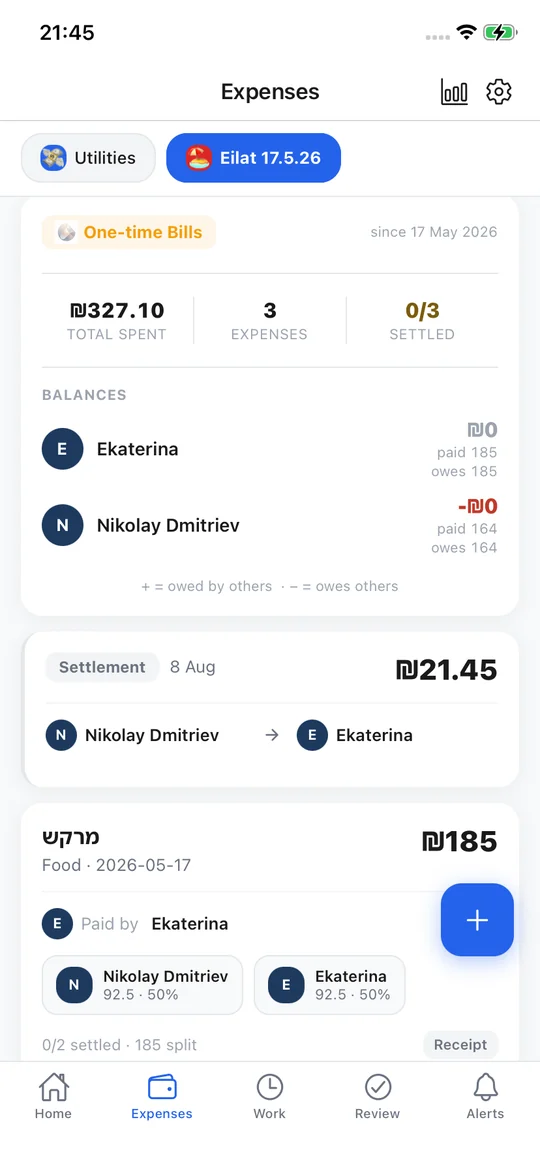
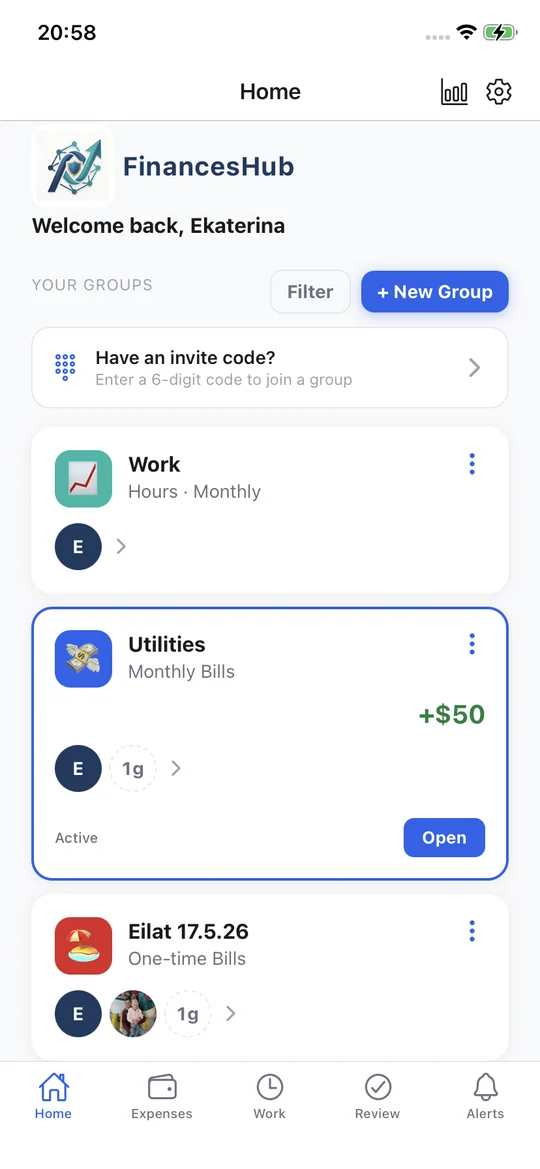
One app for every kind of shared money.
Pick the kind of group that fits — and have as many as you need.
Families
Household costs and groceries, month by month. Everyone sees the same budget.
Family budgetFlatmates
Rent, utilities and subscriptions, split every month with a running balance.
Monthly billsTrips & dinners
A trip, a dinner, a gift. Split it as you go and settle up at the end.
One-time billsFreelancers & tutors
Log hours or client visits at a fixed rate, send them for approval, see what has been paid.
Work hours · Fixed rateLending
Lent someone money? See who borrowed what, and every repayment along the way.
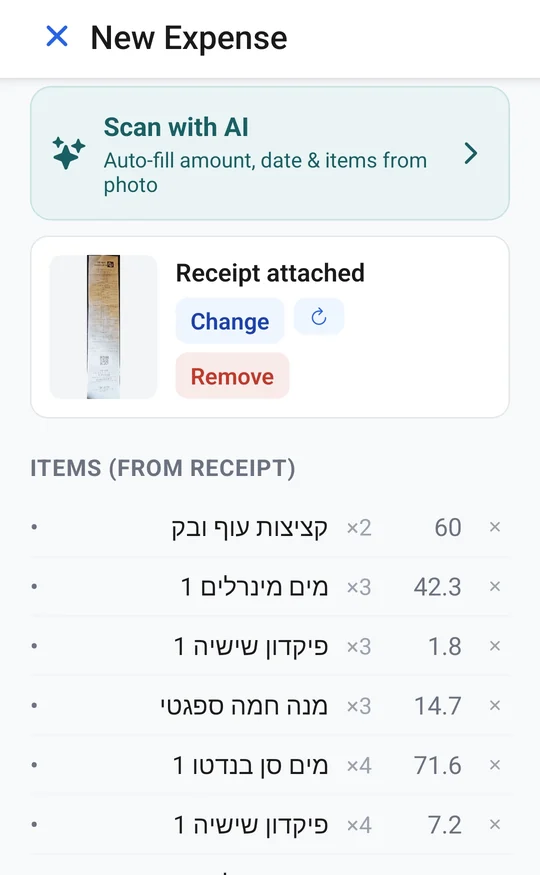
Lend moneyPhotograph the receipt. Every line fills itself in.
The shop, date, total and every item — read straight from the photo. Hebrew supermarket receipts included.
- Long receipts are captured in parts and joined into one list
- Discounts are matched to the product they belong to
- Correct an item's name once, and it is used every time that product is scanned again

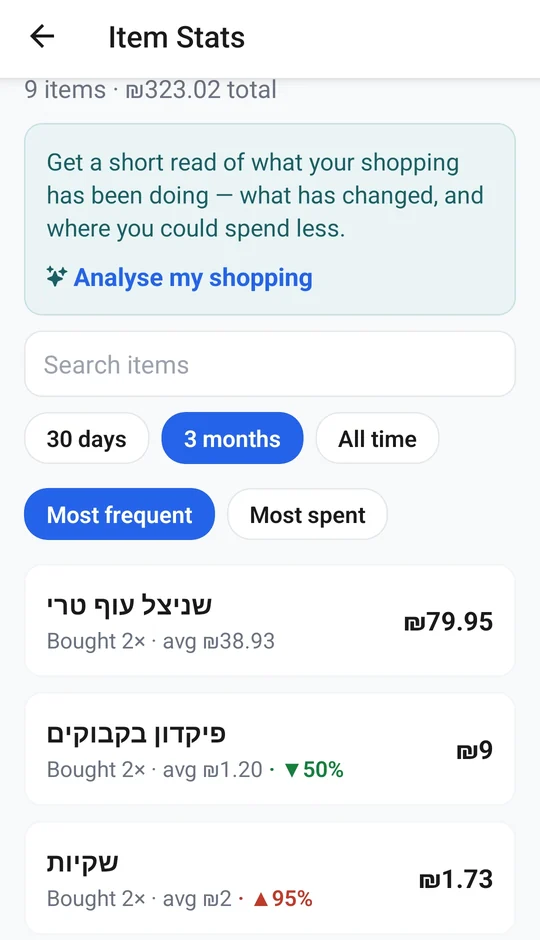
Then see what things really cost.
Every scanned receipt adds to your own price history.
- What each product usually costs — and which shop sells it cheapest
- An alert when something costs more than you usually pay
- A weekly AI review of your shopping: what changed, and where you could spend less
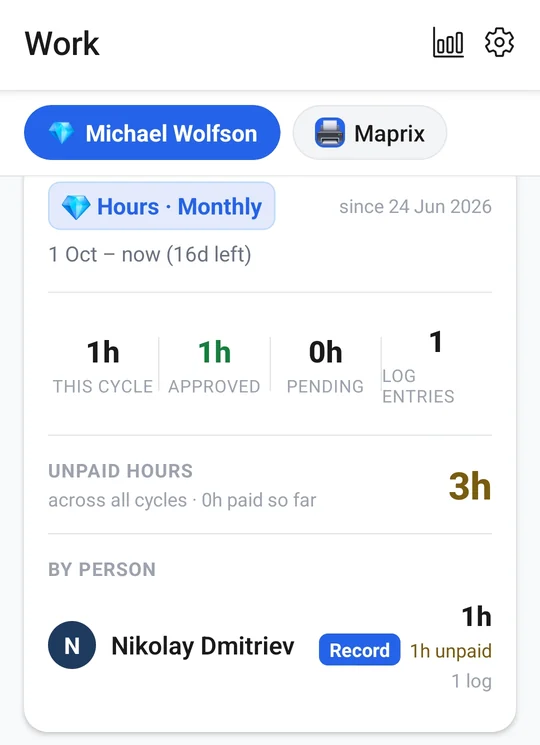
Log the hours. Get them approved. Get paid.
For freelancers, tutors and small teams — every hour or client visit, in one place with the people who pay for it.
- Log hours, or client visits at a fixed rate
- Entries are approved before they count
- Monthly cycles or a single project — approved, pending and unpaid hours at a glance
- Record each payment and see what has been paid so far
And everything else your group needs.
It all stays in sync for the whole group — in any currency.
Split any way
Equally, or a custom amount for each person — with the receipt photo attached.
Invite by link or code
Send a link or a 6-digit code, and add guests who don't have the app yet.
Roles & permissions
Choose who can add records in each group, and who manages it.
Approvals
Expenses, hours, payments and deletions wait for a yes before they count.
Income & recurring
Log income, and let monthly bills and income add themselves.
Lending & debts
Who lent what to whom — every debt stays visible until it is settled.
Settling up
Record who paid whom back (with a signature if you like) — and the balances update themselves.
Reports & alerts
PDF reports for expenses, work and analytics — and a push alert when something needs you.
From scattered to settled in three steps.
Create your group
Set up a group and invite people with a link or a 6-digit code. Pick who can spend, approve, and manage.
Track money & work
Add expenses, log work for approval, and record income. Everything lands in the right group automatically.
Settle up, synced
Balances stay in sync for everyone. Approve payouts, clear debts, and export records whenever you need.
Built so only your group ever sees your group's money.
Financial data is sensitive. FinancesHub protects it at every layer — in transit, at rest, and on your device.
Free forever. Premium when you want more.
Keep your group's core finances organized for life. Upgrade any time to drop the ads and unlock AI receipt scanning.
Everything you need to organize your group's money.
For power users who want it ad-free and automated.
New accounts get AI receipt scanning free for 30 days. After that, scanning needs Premium — your data and every other feature stay free, forever.
Questions people ask.
Is FinancesHub free?
Yes. Groups, shared expenses, splitting, work hours, lending, income, charts and PDF reports are all free, with no limits. The free version shows ads.
What does Premium add?
No ads, AI receipt scanning and a weekly AI review of your shopping. It costs $2.99 a month (the price may differ in your country), and you can cancel any time in your App Store or Google Play subscriptions. New accounts can try AI scanning free for 30 days.
Do the other people need the app?
No. Add them to the group as guests and keep track of their share. When they join later, their history moves to their own account.
How do roommates split rent and bills fairly?
Agree on a split once — equally, by room or by income — record every bill as it's paid, and settle up once a month. A Monthly Bills group keeps the running balance for you. Read the full guide.
How do we split trip costs with friends?
Agree on a few things before you go, record each shared payment as it happens, and settle up when you're back — in any currency. Not everyone has to share every expense. Read the full guide.
Can we run a family budget together?
Yes. Create a Family Budget group, invite your partner, and both of you record what you pay. Add your income, and the overview shows where the money went by category, month by month. Read the full guide.
Does it connect to my bank?
No. FinancesHub never asks for your bank login. You add expenses yourself — or photograph a receipt and AI fills in the shop, date, total and every item.
Which languages and currencies does it support?
English, Hebrew and Russian — switch any time in Settings → Language. Each group keeps its own currency: shekel, dollar, euro, pound, ruble, yen and more.
Can I use it on a computer?
Yes. Open financeshub.app/app in your browser and sign in with the same account — everything stays in sync with your phone.
The web version has everything except Premium (AI receipt scanning) and notifications — get those in the iPhone and Android apps.
Who can see my data?
Only the members of a group see that group's records, and everything travels encrypted. You can lock the app with your face, your fingerprint or a PIN, and turn on two-factor sign-in.
How do I delete my account?
In the app: Settings → Delete account. It permanently erases your account and personal details. Records you shared in a group stay, so the other members' balances still add up, but your name on them becomes "Deleted user". More about account deletion.
How do I contact you?
In the app: Settings → Send feedback or report a bug. Or email support@financeshub.app.